Find the right piece.
Search and filter your inventory to narrow a collection down to the item you have in mind.

From a new collection arriving to the last sample coming back, a showroom has a rhythm of its own. VNTORY brings inventory, pulls, contacts, and reporting into one place, so your team can spend less time chasing details and more time making things happen.

Give your collection a clear home. Browse inventory by brand, category, color, size, season, and status, with the product details your team needs close at hand.
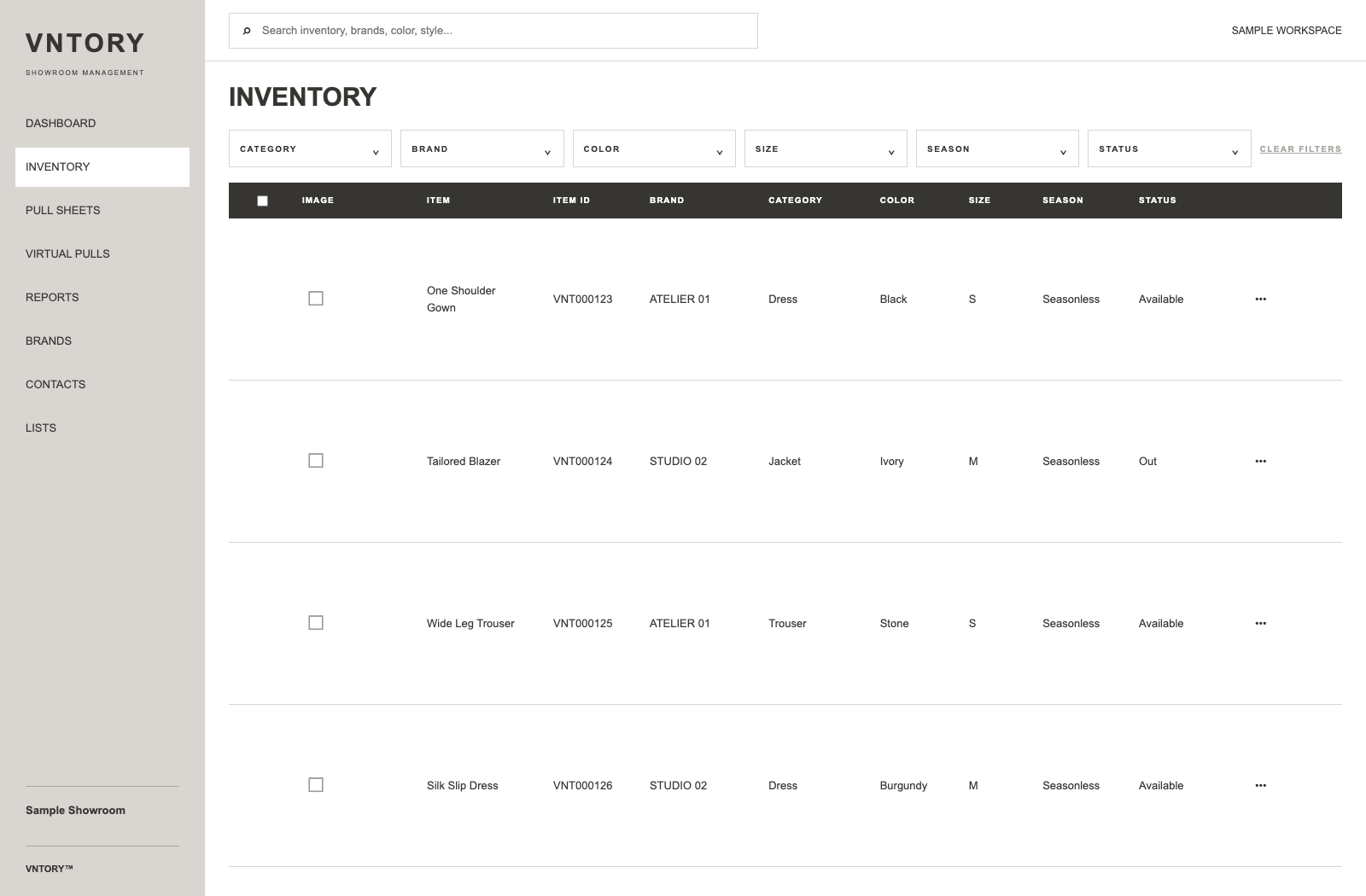
Search and filter your inventory to narrow a collection down to the item you have in mind.
Give each item a consistent record, from its brand and size to its unique inventory number.
View item status alongside product information as you plan the next pull.
Build a useful record for every piece before it leaves the rail. Keep photos, item IDs, brands, sizes, seasons, and availability together.


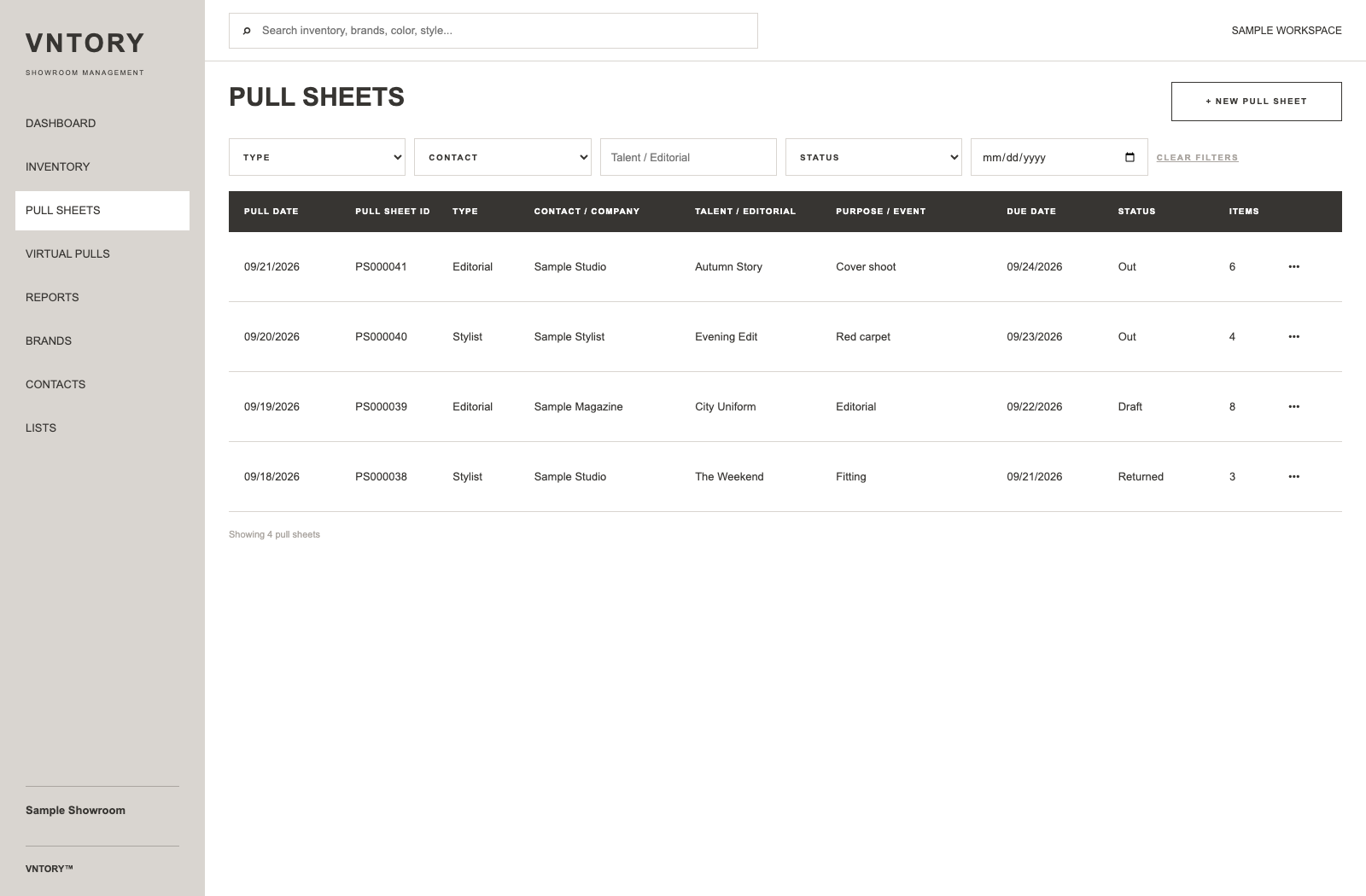
Build pull sheets around the people, projects, and pieces involved. Keep due dates and status visible, and use virtual pulls to put a considered selection together before the physical pull.
A showroom runs on relationships. Keep contact details and affiliations close to the collections and projects your team is working on.


Use virtual pulls to assemble pieces digitally before preparing the physical pull. Keep the edit focused while your inventory records stay close at hand.


Keep the relationships and records that support your collection in the same workspace.
Organize the labels you represent and keep their information alongside your inventory.
Keep your network organized, and build lists for the projects and outreach that come next.
Bring selected pieces together digitally as you shape an edit for a project or contact.
Review showroom activity and turn the records of your day into a more useful overview.
Keep loan, gift, and return-to-vendor activity attached to the pull sheet. Record returns and see which pieces are still outstanding.


Bring brands, contacts, and lists into the same working day as inventory and pulls. Spend less time moving between separate records.


Review pull activity by brand, category, and date range. See the pieces and pull sheets behind the totals, then choose the export format you need.


Choose a colorway for your account in Settings. Downloaded pull sheets and virtual pulls keep VNTORY’s Original colors, so your documents stay consistent.

Open VNTORY on your phone to browse inventory, review pull sheets, and check contact details while you work. Compact layouts keep your showroom records within reach.
Quick access to the details, right where the pieces are.
Yes. Open the website in your phone’s browser to browse inventory, review pull sheets, and check contacts with layouts designed for smaller screens.
Manage pull-sheet emails and outstanding-loan reminders in Settings. Closed sheets do not receive overdue reminders.
No. Downloaded pull sheets and virtual pulls use the Original palette, independently of your account’s screen colors.